
Restaurant POS with AI on shift.
Run service from a tablet browser. Tell the assistant what needs to change, review the order, and confirm.
For restaurant owners
Ask your POS about the shift.
Ask about sales, check stock, or open a table. The assistant uses your POS records and shows you proposed changes before you approve them.
- Sales“What did we sell today?”
- Check recorded sales, popular dishes, or what’s happening in service.
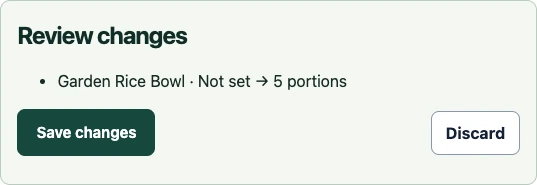
- Stock“Set the rice bowl stock to five.”
- See the item and proposed quantity. The change is saved after you approve it.
- Checkout“Open checkout for table ten.”
- Go to the selected table. A staff member completes the payment in the POS.
During service
One order, from table to checkout.
Guests order on their phones. The kitchen and front-of-house team follow the same order in their browser.
-
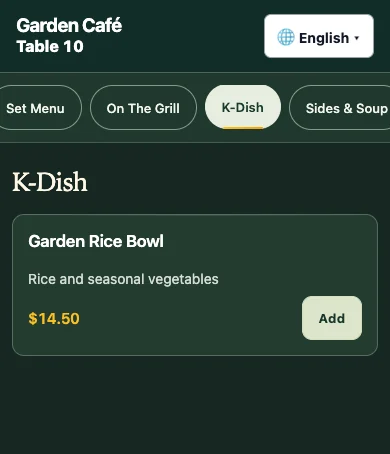
Guests order at the table
A table QR code opens the menu and connects the order to that table.
-
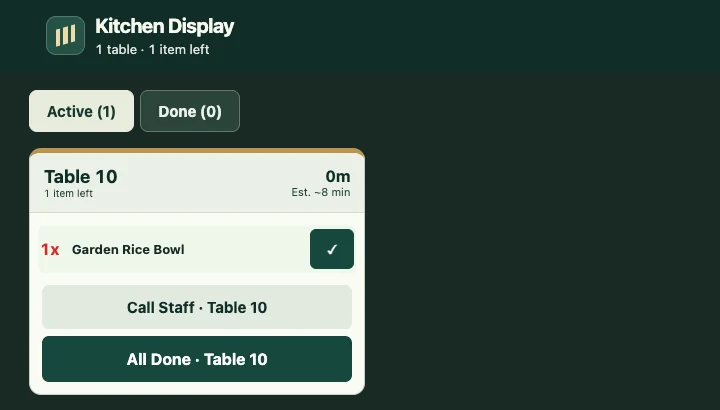
The kitchen sees the ticket
Cooks see the order on the kitchen display and can mark it complete.
-
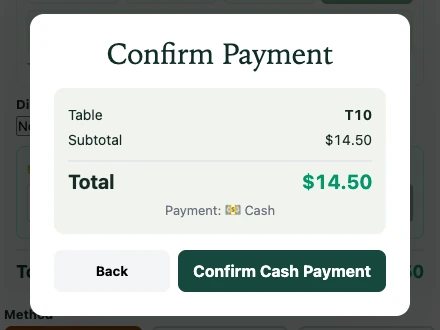
Staff record checkout
Staff can record cash against the order and queue the receipt.
Early access
Try the POS with your team.
Early access is by invitation. If you have a link, open it in your tablet browser to set up a trial venue.
Getting an invitation
Public enquiries haven’t opened yet.
What to include in your enquiry
Include your city and country, how your team takes orders today, and what you’d like to test first.
For example, “We run a café in Wellington and take orders on paper. We’d like to try QR ordering at lunch. Is early access available for our venue?”
Tested in Melbourne, Australia
In test venues, the team followed QR orders through kitchen completion, cash recording and receipt queueing. Staff confirmed drink swaps on unpaid orders and moved whole parties to empty tables. Owners reviewed and saved stock changes.
Voice input in the pilot
A test with synthesised Korean speech produced an editable request. Staff reviewed the proposed drink change on screen and confirmed it. Testing with staff in a noisy restaurant is still ahead.
Still in design
Splitting a party across tables and merging two occupied tables are being designed.
Hardware to check
Physical receipt printing and card-terminal payments still need testing with the devices your team uses.
FAQ
Before your first shift.
Do I need to install an app on my tablet?
Open the POS in a browser with an internet connection. Desktop and mobile layouts have been tested. You can check your own tablet and connected hardware during early access.
Can the AI change my menu or take payments on its own?
The assistant can prepare supported menu or stock changes for your approval. Staff complete payments and cancellations in the POS.
Will there be a free plan?
The plan is to offer a free tier to get started and paid options for additional features. The features included in each tier and the prices are still being decided.
Can a restaurant outside Australia try it?
Early access is by invitation. Include your country in your enquiry so the team can confirm availability and any local payment or hardware requirements.